Police Clearance Issues 2026: Fix Delays, HITs & Errors Fast

Applying for a police clearance in the Philippines is now more convenient because applicants can register, schedule appointments, and complete parts of the process online. However, applicants may still experience processing delays, HIT status, incorrect personal information, payment errors, missing requirements, technical problems, or lost certificates.

These issues can be frustrating, particularly for first-time applicants or people who urgently need their clearance for employment, travel, licensing, or another official requirement. Fortunately, most police clearance problems have practical solutions.

This guide explains the most common police clearance issues, why they happen, what applicants should expect, and how to resolve them without unnecessary delays.
Police Clearance Issues 2026 Fix Delays, HITs & Errors Fast

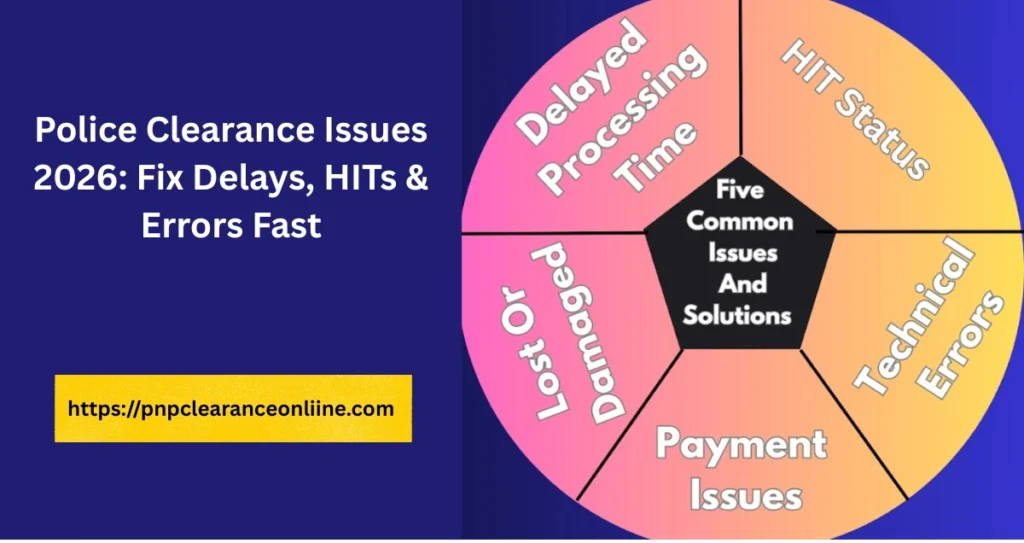
Common Police Clearance Issues

Although applicants may encounter different problems, most police clearance concerns fall into a few common categories. These issues are usually caused by application mistakes, incomplete requirements, high applicant volume, identity verification, payment delays, or temporary system problems.

Understanding these issues before applying makes it easier to prepare properly and respond quickly when something goes wrong.

Delayed Police Clearance Processing

Processing delays are among the most common problems applicants experience. A police clearance application may normally be straightforward, but waiting times can increase depending on the number of applicants, the condition of the online system, and whether the submitted information is complete.

Why Police Clearance Delays Happen

Common causes include:

  • A high number of applicants, especially during peak seasons
  • Visiting during busy days or peak office hours
  • Long queues at heavily used police clearance centers
  • Incomplete or missing documents
  • Missing or invalid identification
  • Application details that require additional checking
  • Slow system processing
  • Technical problems in the online platform
  • Payment confirmation delays
  • Additional verification caused by a HIT status

How to Fix or Avoid Processing Delays

Applicants can reduce waiting time by taking the following steps:

  • Apply or visit during off-peak days, such as Tuesday, Wednesday, or Thursday
  • Choose an early-morning appointment when possible
  • Avoid arriving during the busiest office hours
  • Prepare all required documents before visiting
  • Bring valid identification and proof of payment
  • Check that application details match the information on the valid ID
  • Arrive early enough to complete verification and biometric procedures
  • Choose a less crowded police station or nearby branch when allowed
  • Apply well before the clearance is urgently needed

What to Expect

Processing time depends on the workload of the police station, the status of the system, and whether the application requires additional verification.

Even applicants with complete documents may experience longer waiting times during peak periods. Applicants with a HIT status may need to wait several days or, in some cases, weeks while additional verification is completed.

Planning ahead is more effective than applying at the last minute and expecting the station to speed up the process.

HIT Status or Pending Background Check

A HIT status is one of the most misunderstood parts of the police clearance process. It often causes applicants to worry that they have a criminal record, but this is not necessarily the case.

A HIT status means that the applicant’s name matches or closely resembles a name found in the police database. The system cannot immediately confirm whether the record belongs to the applicant, so additional identity and background verification is required.

A HIT is a verification alert. It is not automatic proof that the applicant committed a crime or has a criminal record.

A HIT may occur because:

  • The applicant has a common first name or surname
  • The applicant’s full name matches another person in the database
  • A person with a similar name has a criminal record
  • A similar name is connected to a pending case or investigation
  • A pending or archived record requires manual review
  • The system detects a possible match that cannot be cleared automatically
  • Ongoing verification is required for similar personal records

If the application receives a HIT, the applicant should:

  • Allow enough time for the verification process
  • Wait for the police office to complete the background check
  • Bring additional valid IDs when requested
  • Present supporting documents that confirm identity
  • Keep the application reference number available
  • Follow the instructions provided by the issuing office
  • Visit or contact the police clearance office if verification takes longer than expected
  • Follow up responsibly instead of submitting repeated applications

The verification period varies according to the type of match and the records that must be reviewed. Some cases may be cleared within a few days, while more complicated cases may take several days or weeks.

Submitting complete identification documents can help the office distinguish the applicant from another person with the same or a similar name.

A HIT status does not automatically mean that an applicant has a criminal case. It only means the system requires a more careful review before releasing the police clearance.

Incorrect Information in the Application

Incorrect personal information can delay processing, trigger additional verification, or require the applicant to correct and resubmit details.

Even a small spelling difference may create a mismatch between the online application and the applicant’s valid ID.

Applicants frequently make the following errors:

  • Misspelling the first, middle, or last name
  • Entering an incorrect birthdate
  • Using the wrong birthplace
  • Providing incomplete personal information
  • Entering information that does not match the valid ID
  • Selecting the wrong police station
  • Entering an incorrect appointment date or location
  • Typing the wrong payment reference number
  • Submitting the application without reviewing it

Before submitting the application:

  • Review every personal detail carefully
  • Compare the information with the valid ID
  • Check spelling, spacing, suffixes, and middle names
  • Confirm the birthdate and birthplace
  • Verify the appointment location and schedule
  • Review the payment reference information

If the application has already been submitted:

  • Inform the police station about the mistake
  • Request a correction before final processing
  • Bring the correct valid ID
  • Bring supporting documents that show the correct information
  • Follow the station’s correction procedure
  • Submit a new application if the existing record cannot be edited

Application details should match the applicant’s identification documents exactly. Differences in spelling, dates, suffixes, or other personal details may delay verification or cause the application to be rejected.

Taking a few minutes to review the application is easier than correcting an inaccurate record after submission.

System and Technical Errors

The online police clearance platform may experience technical errors during registration, login, appointment scheduling, application submission, or payment confirmation.

These issues are often temporary and may occur when many applicants are using the website at the same time.

Applicants may encounter:

  • The website not loading
  • Slow page loading
  • Server downtime
  • Website maintenance
  • Session errors
  • Sudden logout
  • Registration problems
  • Appointment booking errors
  • Pages freezing during submission
  • Payment not appearing in the system
  • Confirmation details not being generated
  • The application failing to save
  • Heavy traffic preventing access

Common causes include:

  • A large number of users accessing the website
  • Server overload
  • Planned system maintenance
  • Temporary platform downtime
  • Browser compatibility issues
  • Corrupted browser cache or cookies
  • Weak or unstable internet connection
  • Delayed communication between the payment provider and the clearance platform

Try the following steps:

  • Refresh the webpage
  • Log out and log in again
  • Clear the browser cache and cookies
  • Open the website in a private or incognito window
  • Switch to another browser
  • Use another phone, tablet, or computer
  • Check the internet connection
  • Try again after several minutes
  • Apply during low-traffic or off-peak hours
  • Avoid repeatedly clicking the payment or submission button
  • Check official PNP announcements for maintenance or downtime
  • Contact customer support if the error continues

Applicants should avoid creating multiple accounts or repeating a payment unless the first transaction has been confirmed as unsuccessful.

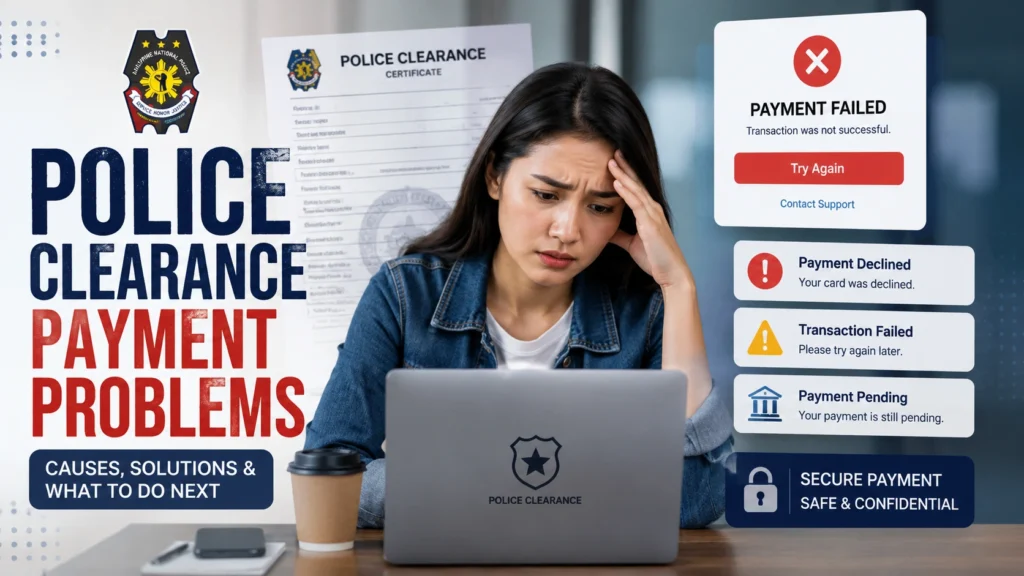
Police Clearance Payment Problems

A police clearance application may be delayed when the payment platform or clearance system cannot confirm the transaction.
Police Clearance Payment Problems

Payment issues are generally fixable, but applicants must keep their transaction records.

Payment problems may be caused by:

  • A failed online transaction
  • An incomplete transaction
  • An unprocessed payment
  • Delayed payment confirmation
  • Payment sent to the wrong reference number
  • An incorrect transaction number
  • The payment provider completing the transaction while the clearance system still shows it as unpaid
  • An unstable internet connection during payment
  • Closing the payment page before receiving confirmation

Applicants should:

  • Verify the payment reference number before paying
  • Confirm the amount and payment channel
  • Use a reliable payment method
  • Use authorized banks or recognized payment platforms
  • Consider trusted services such as GCash or Maya when officially available
  • Use an approved over-the-counter banking option when permitted
  • Save the digital or printed receipt
  • Take a screenshot of the transaction confirmation
  • Keep the transaction number and application reference number
  • Check whether the money was deducted
  • Allow time for delayed payment confirmation
  • Contact the payment provider if the transaction remains pending
  • Contact the police clearance support team or issuing office if the payment does not appear

Do not immediately pay a second time simply because the system has not updated. First check the payment account, receipt, reference number, and transaction status.

Duplicate payments can create an additional problem and may require a separate refund request.

Lost or Damaged Police Clearance Certificate

Losing or damaging a police clearance certificate can be inconvenient, especially when the document is needed for employment, travel, or another urgent requirement.
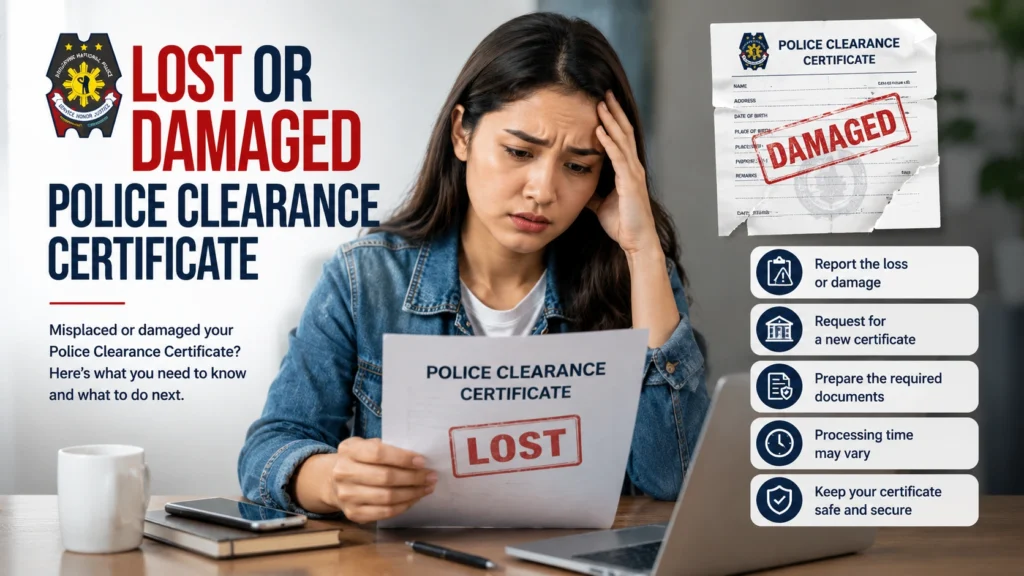
Lost or Damaged Police Clearance Certificate

A clearance may become unavailable because of:

  • Misplacing the original document
  • Losing it while traveling
  • Theft
  • Water damage
  • Fire damage
  • Wear and tear
  • Accidental tearing
  • Improper storage
  • Discarding the document by mistake

If the clearance is lost or damaged:

  • Check whether the police clearance record is still accessible online
  • Ask the issuing police station whether reprinting is permitted
  • Present the reference number or other application details
  • Bring valid identification when requesting assistance
  • Request a reprint if the system and office allow it
  • Submit a new application if reprinting is unavailable
  • Follow the standard police clearance process again when required

After receiving the clearance:

  • Scan the certificate
  • Take a clear photograph of it
  • Store the digital copy in a secure location
  • Keep the original in a protective folder
  • Avoid carrying the original unless necessary
  • Keep the application and payment reference numbers

A digital copy may help with recordkeeping, but an employer or government office may still require the original or a newly issued clearance.

Problems Before the Appointment

Some police clearance problems begin before the applicant reaches the police station. Poor preparation can result in rescheduling, longer queues, or a failed application.

These include:

  • Not registering online when online registration is required
  • Failing to book an appointment
  • Selecting the wrong police station
  • Choosing the wrong appointment date
  • Missing the appointment schedule
  • Arriving without the required documents
  • Bringing an invalid or unacceptable ID
  • Forgetting the payment receipt
  • Entering incorrect personal details
  • Failing to review station-specific instructions
  • Ignoring dress code requirements

Before the appointment:

  • Review the complete application requirements
  • Register through the correct platform
  • Book the appointment in advance
  • Confirm the date, time, and police station
  • Check the station address before traveling
  • Prepare at least one accepted valid ID
  • Bring an additional valid ID when available
  • Save or print the appointment confirmation
  • Keep the payment receipt and reference number
  • Review personal details against the valid ID
  • Check the dress code and station guidelines
  • Place all documents in one folder

Proper preparation reduces the chance of being asked to return on another day.

Problems During the Appointment

Applicants may still face difficulties at the police station even after preparing in advance.

Common appointment-day problems include:

  • Long queues
  • Crowded waiting areas
  • Missing documents
  • Invalid identification
  • Application details that do not match the ID
  • Missing payment confirmation
  • A HIT status requiring further verification
  • Biometric or system equipment problems
  • Arriving late
  • Failing to follow station procedures or dress requirements

Applicants should:

  • Arrive early
  • Allow enough time for queues and processing
  • Bring more than one valid ID
  • Bring the payment receipt
  • Keep the reference number accessible
  • Review all information before final submission
  • Inform the staff immediately if a detail is incorrect
  • Follow instructions for fingerprinting, photography, and verification
  • Remain available if additional identity checking is required
  • Follow the police station’s dress code and conduct rules

Applicants who arrive unprepared may be asked to return with the correct documents or submit a new appointment.

Problems After the Application

Some issues appear only after the applicant has completed registration, payment, identification, photography, or fingerprinting.

These include:

  • Delayed release of the clearance
  • Pending HIT verification
  • No clear status update
  • Payment still showing as unconfirmed
  • Incorrect information printed on the certificate
  • Uncertainty about when to return
  • The applicant losing the reference number
  • The clearance becoming lost or damaged after release

Applicants should:

  • Track the application using the available reference number
  • Keep the payment receipt and transaction details
  • Follow the release instructions given by the station
  • Contact or visit the police station where the application was processed
  • Bring valid identification when following up
  • Ask whether additional verification is required
  • Present supporting documents if personal information is incorrect
  • Request a correction before using an inaccurate certificate
  • Ask whether reprinting is available for a lost or damaged clearance
  • Reapply when the office cannot correct or reproduce the original document

Following up with the original issuing office is usually more effective than contacting an unrelated police station.

Tips for a Smooth Police Clearance Application

The following table summarizes the most practical ways to prevent common police clearance issues.
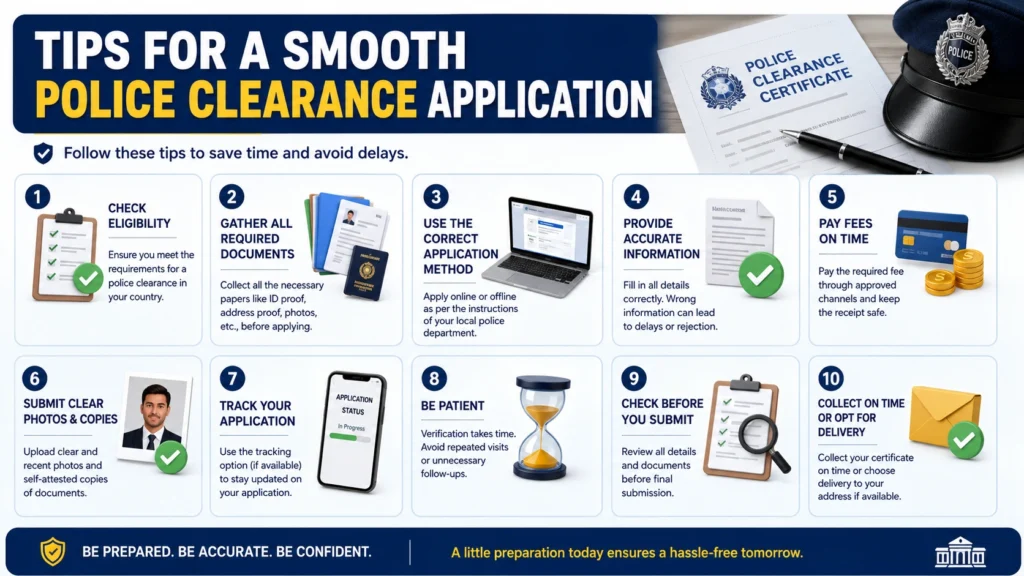
Tips for a Smooth Police Clearance Application
TipWhat to DoWhy It Helps
Apply onlineUse the official online application and appointment system whenever available.It can reduce waiting time and prevent avoidable manual errors.
Apply earlyBegin the process before the clearance becomes urgently needed.Delays, HIT verification, or system downtime will be easier to manage.
Choose an off-peak scheduleSelect an early-morning or midweek appointment when possible.Police stations are generally less crowded outside peak periods.
Confirm the police stationReview the station, date, and appointment time before traveling.It prevents missed appointments and visits to the wrong location.
Prepare documentsGather valid IDs, supporting records, payment proof, and appointment details.Complete requirements reduce the risk of rescheduling.
Carry multiple IDsBring more than one valid ID when possible.An additional ID may help with identity verification or HIT status.
Review before submittingCompare every application detail with the valid ID.Correct information prevents mismatches and reprocessing.
Keep receiptsSave payment receipts, screenshots, transaction numbers, and reference numbers.These records help resolve missing or delayed payment confirmation.
Arrive earlyReach the police station before the scheduled time.It allows time for queues, verification, and unexpected problems.
Follow station instructionsObserve the dress code, appointment rules, and processing procedures.Failure to follow local requirements may delay the application.
Check official announcementsReview official PNP updates when the website is unavailable.System maintenance or temporary downtime may already have been announced.
Keep a digital backupScan or photograph the released police clearance.A backup can help if the original is lost, stolen, or damaged.

Final Police Clearance Troubleshooting Checklist

Before submitting an application, confirm that:

  • The name is spelled exactly as shown on the valid ID
  • The birthdate and personal information are correct
  • The selected police station is the intended location
  • The appointment date and time are correct
  • The required valid IDs are prepared
  • An additional ID is available when possible
  • The payment reference number is correct
  • The payment receipt has been saved
  • The appointment confirmation is accessible
  • The station’s dress code and requirements have been reviewed
  • Enough time has been allowed for possible HIT verification
  • The application is being completed before the clearance is urgently needed

Frequently Asked Questions

The most common problems are delayed processing, HIT status, incorrect application details, missing documents, invalid identification, website errors, payment confirmation problems, and lost or damaged certificates.

A delay may be caused by a high number of applicants, incomplete requirements, system downtime, missing payment confirmation, incorrect personal details, or additional background verification.

Processing time depends on the workload of the police station, the completeness of the application, and whether the applicant receives a HIT. An application without complications may be completed faster, while HIT verification may take several days or weeks.

Applicants can usually complete online registration, provide initial application information, select a police station, schedule an appointment, and receive payment instructions through the available police clearance platform. The applicant must still visit the selected station for identity verification, biometrics, photography, and final processing.

A HIT status means the applicant’s name matches or resembles a name in the police database. Additional verification is required to determine whether the record belongs to the applicant.

No. A HIT does not automatically mean the applicant has a criminal record. It may simply be caused by another person having the same or a similar name.

A HIT may be caused by a common name, a similar record, a pending or archived case linked to a matching name, or another database entry that requires manual checking. The applicant should wait for verification, provide additional valid IDs or supporting documents, and follow up with the issuing station when necessary.

Corrections may be possible before final processing. Applicants should inform the police station immediately and present identification or supporting documents showing the correct information. If the record cannot be edited, a new application may be required.

Return to the issuing police station and report the incorrect information. Bring the clearance, valid ID, application reference, and supporting documents. The station will determine whether the certificate can be corrected or whether the applicant must reapply.

Check whether money was deducted, verify the reference number, and review the transaction status. Keep the receipt or screenshot and contact the payment provider if the transaction failed or remains pending. Do not make a duplicate payment until the original transaction has been checked.

Allow time for the system to update, then check the payment account and transaction reference. Contact the payment provider and the police clearance support office if the payment remains unconfirmed.

Refresh the page, clear the browser cache, use another browser or device, check the internet connection, and try again during a low-traffic period. Check official announcements for maintenance and contact support if the problem continues.

Reprinting depends on the issuing station and whether the clearance record remains available. Contact the station where the clearance was issued. If reprinting is unavailable, submit a new police clearance application.

Ask the issuing office whether a replacement or reprint is possible. If not, apply for a new clearance. Keep a scanned or photographed copy of future certificates as a backup.

Apply early, use the online system when available, select an off-peak appointment, prepare complete documents, bring multiple IDs, review all personal details, save payment records, arrive early, and follow the instructions of the police station.

Final words


Police clearance problems are common, but most can be resolved through preparation, accurate information, proper documentation, and responsible follow-up.

Processing delays can often be reduced by applying early, choosing less crowded schedules, and preparing complete requirements. A HIT status usually requires patience and additional identity verification rather than panic. Technical and payment errors can often be corrected by checking transaction records, changing browsers, applying during off-peak hours, or contacting the appropriate support provider.

Applicants should carefully review all information before submission, keep receipts and reference numbers, bring multiple valid IDs, follow the police station’s instructions, and store a digital copy of the released clearance.
A few minutes of preparation can prevent hours or days of avoidable delay.
Similar Posts

Leave a Reply

Your email address will not be published. Required fields are marked *